
Hi, do you deliver to Cairo?
A platform for reducing sales-opportunity leakage on digital channels
Reduce lost sales opportunities.Get more from the leads you already have.
Mr. AI helps businesses selling on social media turn more inquiries into sales. It answers using your services, prices and policies, follows up with customers who have not completed a purchase, and analyzes conversations so your team can understand buying barriers and improve marketing. Your team stays in control.
Explore replies and follow-up, or discuss your business needs with our team.
Ahmed
Sara
Omar
Organizations and businesses we work with









- Rival University in Sohag
- Innovision sohag
- Elmona Marketing
- Eng. Nihal El-Maghrabi
- Mr. Mohamed Hashem
- Rekaz Academy
- GrowHub
- Gen Store
- Khibraat Taibah Office
Abu Karim
Hello, do you deliver to Tagamoa?10:00 ✓✓
New message
Hello, do you deliver to Tagamoa?10:00 ✓✓
Still waiting for a replyAmong new messages and older follow-ups
Conversation stalled
Hello, do you deliver to Tagamoa?10:00 ✓✓
Mr. AIHello! Yes, we deliver to Tagamoa. Can I help with your order?10:00:06 ✓✓
Replied in 6 seconds in this example
Summary ready for the teamDelivery to Tagamoa. Needs a confirmed time.
Can your team confirm delivery time?
Team memberHi Abu Karim, I'll confirm the details.10:02 ✓✓
Abu Karim
✓ Saved in CRM
- Request
- Order with delivery
- Area
- Tagamoa
- Status
- Follow-up before purchase
- Latest step
- Confirm delivery time
Mr. AIHi Abu Karim, still interested?10:17 ✓✓
Not with this delivery time.10:18 ✓✓
Reason saved: delivery timingFollow-up under your rules
- Message
- Waiting
- Reply
- Your team
- CRM
- Follow-up
Illustrative chat. Response timing is not guaranteed.
From first message to a followed-up opportunity
The customer arrived
Every question can start an opportunity.
Abu Karim
Hello, do you deliver to Tagamoa?10:00 ✓✓
New message
Who will keep it moving?
A late reply or missed follow-up can lose the opportunity.
Abu Karim
Hello, do you deliver to Tagamoa?10:00 ✓✓
Still waiting for a replyAmong new messages and older follow-ups
Conversation stalled
Mr. AI starts the conversation
Replies using your business information and helps the customer continue.
Abu Karim
Hello, do you deliver to Tagamoa?10:00 ✓✓
Mr. AIHello! Yes, we deliver to Tagamoa. Can I help with your order?10:00:06 ✓✓
Replied in 6 seconds in this example
Your teammate arrives informed
Summary ready. Your team makes the decision.
Abu Karim
Summary ready for the teamDelivery to Tagamoa. Needs a confirmed time.
Can your team confirm delivery time?
Team memberHi Abu Karim, I'll confirm the details.10:02 ✓✓
More than a chat
Customer information and conversation context stay in your AI-assisted CRM.
Abu Karim
Abu Karim
✓ Saved in CRM
- Request
- Order with delivery
- Area
- Tagamoa
- Status
- Follow-up before purchase
- Latest step
- Confirm delivery time
And if they don't buy?
Follow up under your rules and understand what held them back.
Abu Karim
Mr. AIHi Abu Karim, still interested?10:17 ✓✓
Not with this delivery time.10:18 ✓✓
Reason saved: delivery timingFollow-up under your rules
Illustrative chat. Response timing is not guaranteed.
Meet Mr. AI
See how your team follows sales opportunities inside the platform
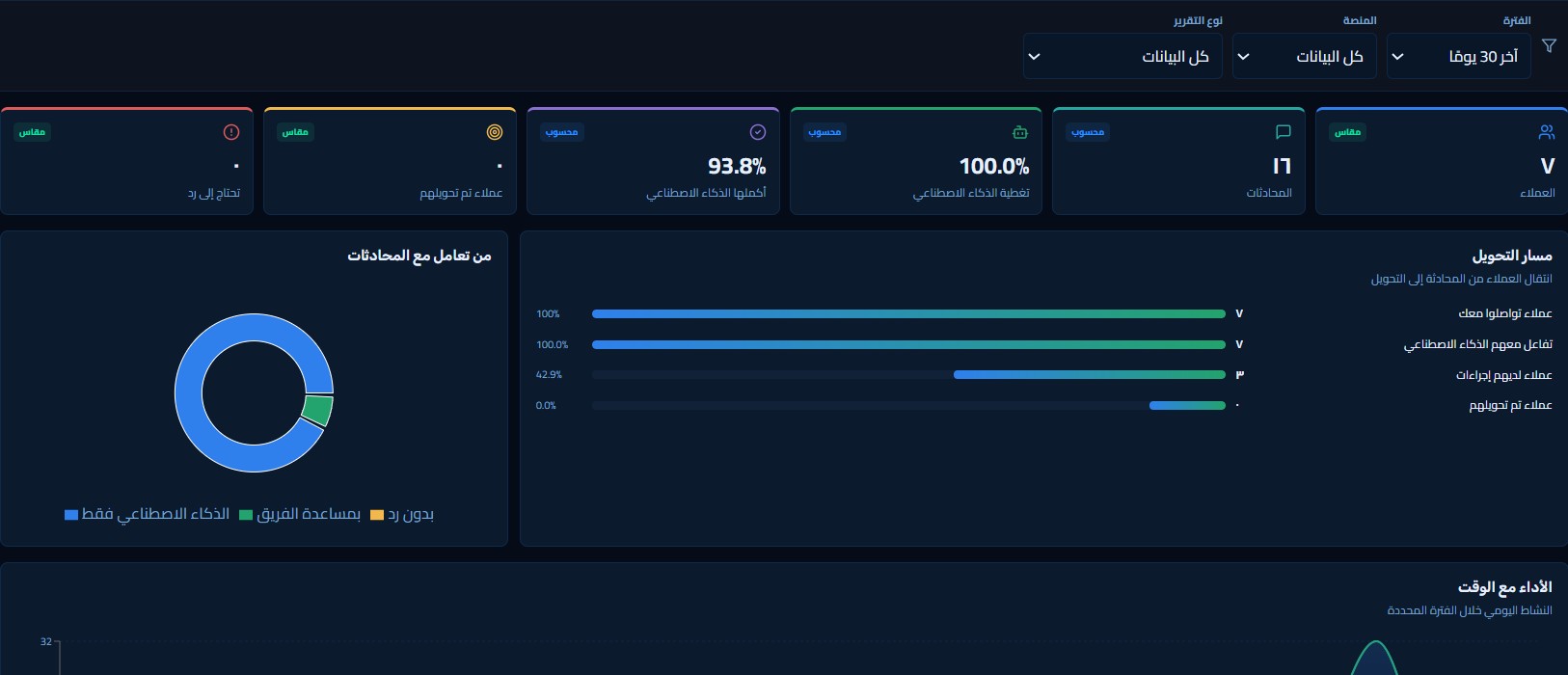
Keep customer conversations, information and next steps together. These actual product captures show the tools your team can use to follow each opportunity.
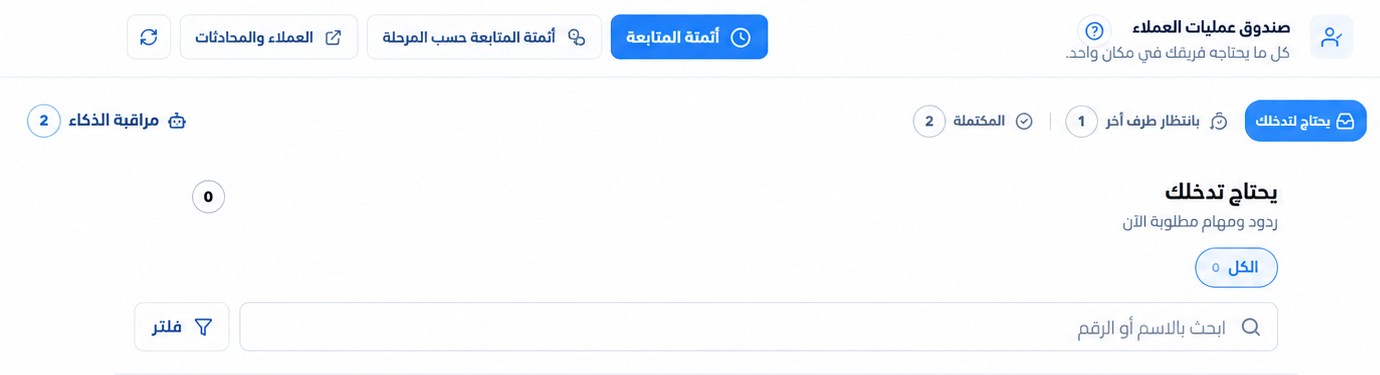
The conversations your team needs, together
Review requests for intervention and follow-ups by stage. Decide the next step.

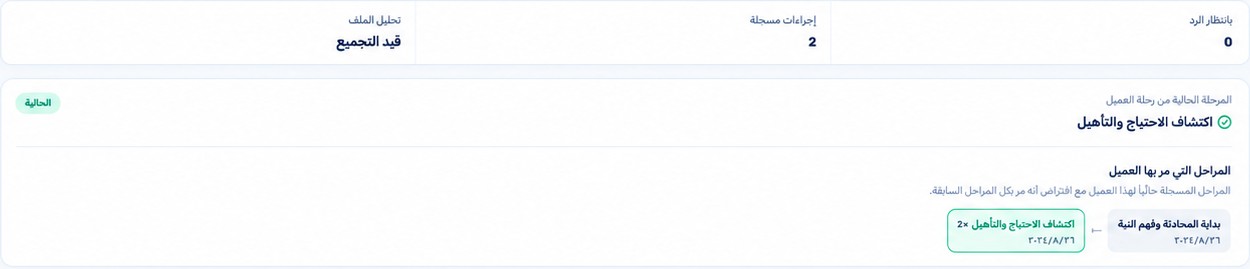
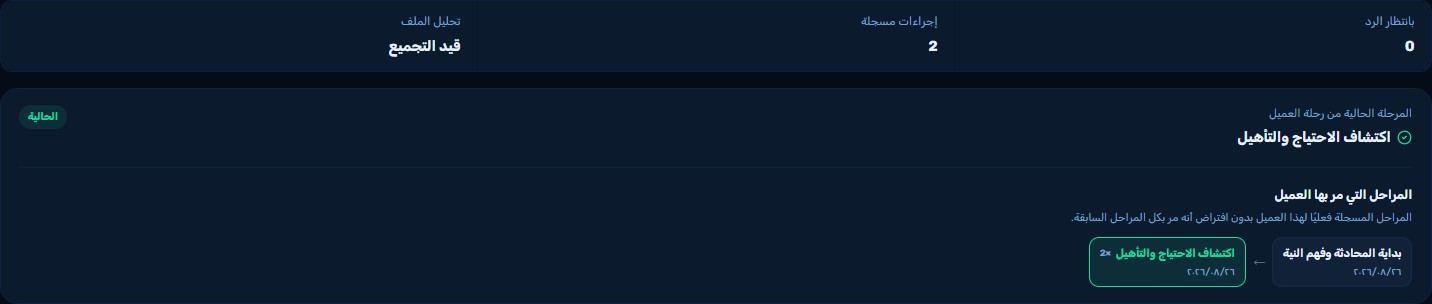
Customer context stays with their journey
Return to customer information and conversation stages without starting over.
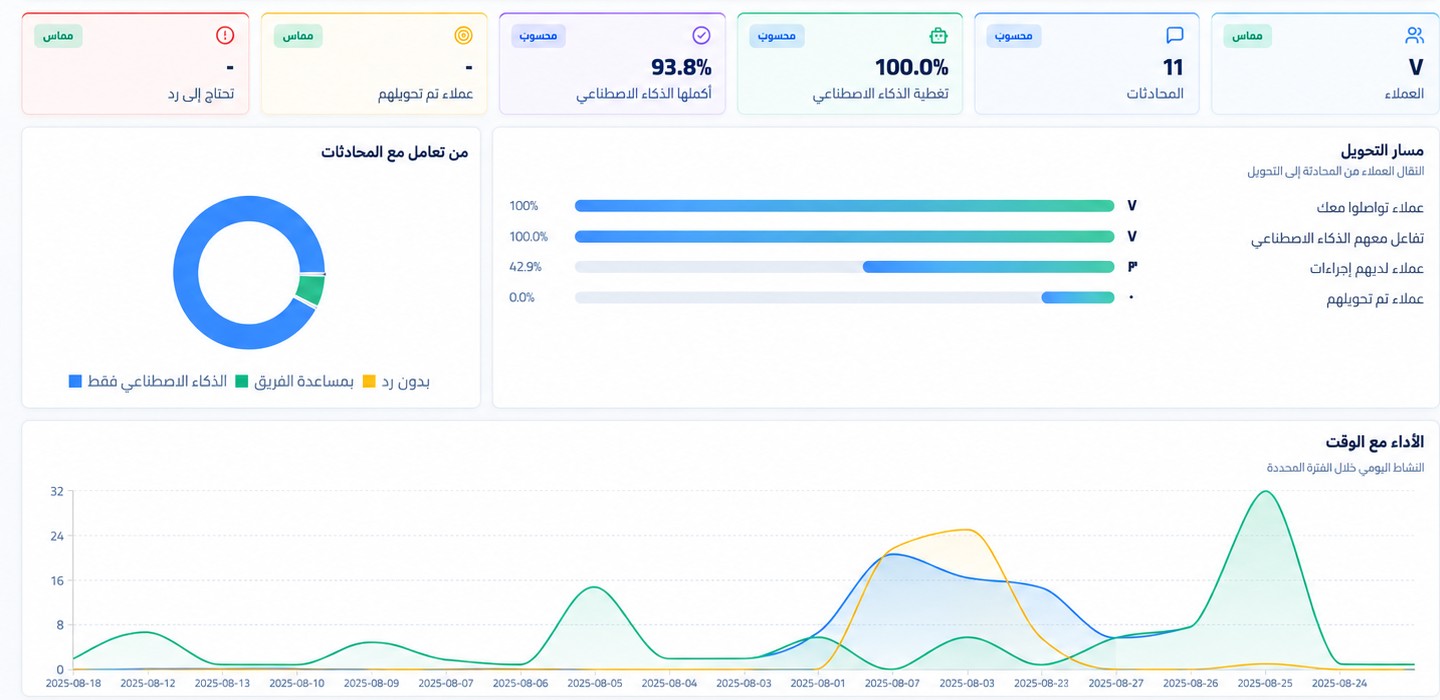
Understand conversations through their data
Review reports and where follow-up stalls to improve your team's workflow and assistant settings.
Try your customer’s experience
Describe your business by voice or text and review the information collected. Then ask a question as an interested customer and see the replies yourself, without an account to get started.
Try the experienceHow it helps
From the first question to the next step, your team has the context
Add your company information to help the platform answer questions and follow up stalled conversations. Your team can step in knowing what the customer asked and what they were told.
Replies from your company knowledge
Add your services, prices, policies and FAQs so the platform can use them to answer customer questions. Test replies and review the information before going live.
Follow-up and reactivation
Follow up stalled conversations under the settings you choose. Help customers continue their questions and surface buying barriers so your team can decide what to do next.
Operations inbox
Review conversations that need a staff reply or decision, alongside follow-ups by stage. Your team can decide what comes next without searching through messages.
CRM and the sales path
Keep customer information, conversation history and sales stage together, so a team member can pick up where the conversation stopped.
Conversation insights
Review conversation summaries and reports to understand customer questions, objections and stated reasons for not buying. Use that context to improve replies and marketing.
Handoff to the team
A team member can take over and speak with the customer directly, using the conversation history and summary. Decisions stay with your team.
How it works
Set up the system, then manage the work with your team
Start with a channel and clear information, test replies before going live, then review conversations and refine the settings.
- 01
Connect a channel
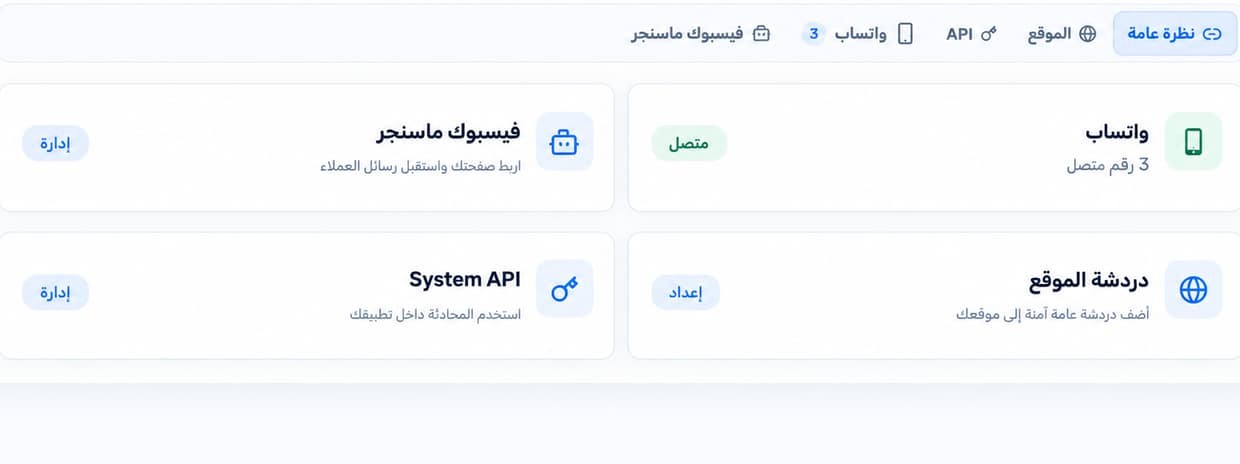
Choose WhatsApp, Messenger or website chat.
- 02
Add company knowledge
Add services, prices, policies and frequently asked questions.
- 03
Test replies
Try customer questions and review the answers before going live.
- 04
Go live
Enable replies and follow-up using the settings you reviewed.
- 05
Monitor conversations
Review what is waiting for a reply and what needs your team.
- 06
Refine the setup
Use records and summaries to review knowledge and follow-up rules.
People and AI working together
Automated assistance. Decisions made by your team.
When a conversation needs a person, your team receives it with a summary.
Replies and follow-up
The system assists with routine work using company information.
A need for review
A request or objection needs a decision from the team.
Handoff with context
The conversation is handed over with a summary to make the situation easier to understand.
The team member acts
The team member reviews the request and chooses a suitable reply or next step.
Follow-up continues
Automated follow-up can resume according to the configured rules.
Supported channels
Follow up through your customer messaging channels
Use Mr. AI with WhatsApp, Facebook Messenger and website chat.
WhatsAppFacebook MessengerWebsite chat
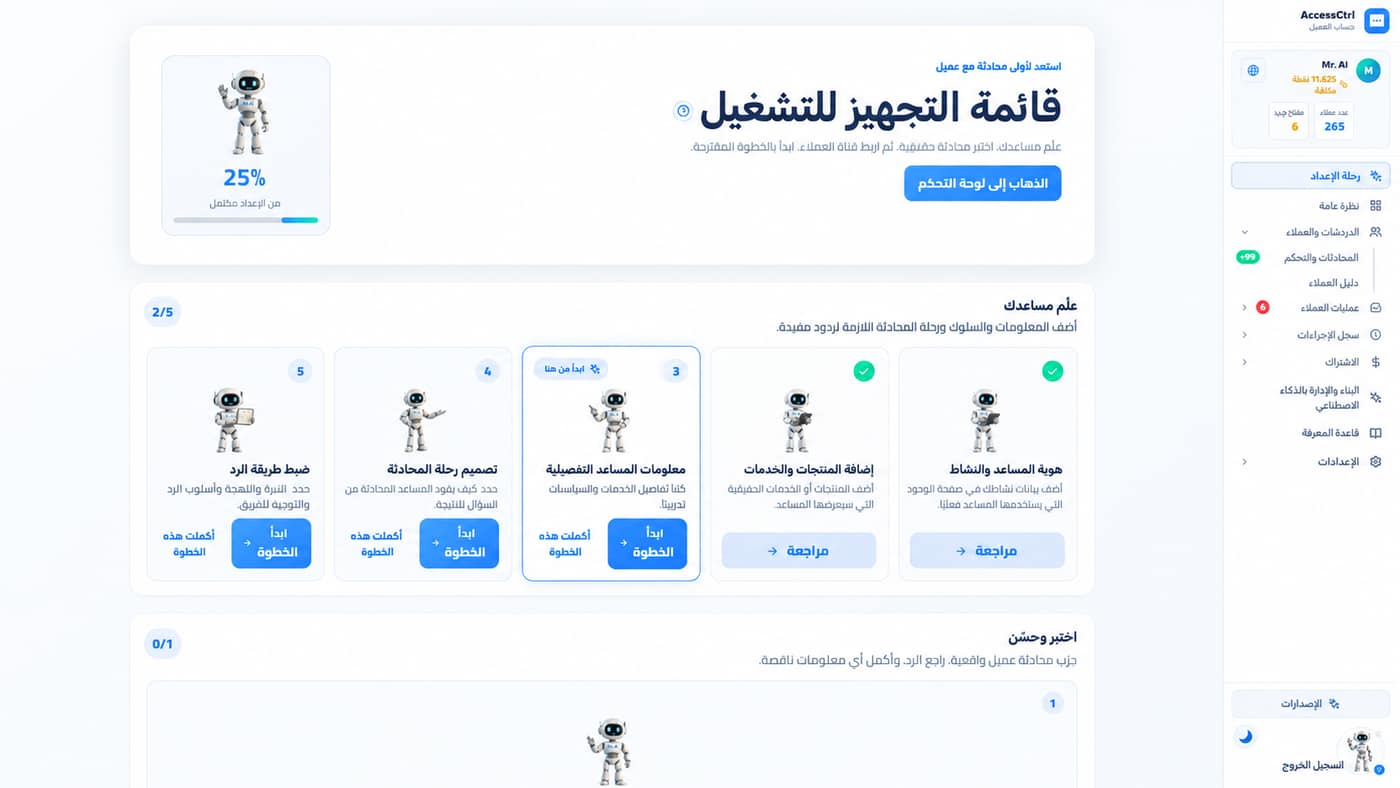
Start with clear steps
Test replies before using them with customers
Add your business information and review replies and follow-up, then enable the settings that suit your team's work.
- Create your account
- Connect a messaging channel
- Add company information
- Test replies and follow-up
- Go live and monitor with your team
Pricing
Start with a trial, then review the right plan
Every plan includes the same Mr. AI tools. Choose the points balance and price that fit your usage.
Starter
The full Mr. AI toolkit with a starting points balance.
1,100EGP per month
✦ 1,300 points per month
Average cost per point: about 85 piastres
The same Mr. AI tools are available on every plan.
Start for freeGrowth
The same tools with more points for more conversations.
3,000EGP per month
✦ 4,100 points per month
Average cost per point: about 73 piastres
The same Mr. AI tools are available on every plan.
Start for freeBusiness
The same tools with a higher points balance for heavier use.
6,000EGP per month
✦ 12,000 points per month
Average cost per point: 50 piastres
The same Mr. AI tools are available on every plan.
Start for freeEnterprise
The same Mr. AI tools with 25,000 included points for higher usage.
10,000EGP per month
✦ 25,000 points per month
Average cost per point: 40 piastres
The same Mr. AI tools are available on every plan.
Start for freeBook a sessionSecurity and control
Conversation data is encrypted. Your team makes the decisions.
Review the available information about data and human control before you start.
- Conversation data is encrypted
- Your team can take over a conversation
- Conversation context supports review
Before you start
Answers to help you decide
Learn about usage, channels, human control and the trial.
Is Mr. AI a fit for my business?
It suits teams receiving customer inquiries through WhatsApp, Messenger or website chat that need organized replies and follow-up. Use the trial to assess its value for your conversation volume and workflow.
We already have a team replying to customers. How does this help?
Mr. AI assists with recurring replies and follow-up, and brings together conversation context for handover and review. Your team remains responsible for decisions and cases that need their judgment.
Which channels are supported?
WhatsApp, Facebook Messenger and website chat. All three channels are available in every plan; prices and points balances differ.
Can I test replies before using them with customers?
Yes. You can try questions, review replies and adjust knowledge and rules before relying on them in live conversations.
What are points?
Points measure the usage of certain AI operations. A message may consume points, and the amount can vary by operation. Starter includes 1,300 points per month; this does not guarantee the same number of messages.
Do I need a credit card to start the trial?
No credit card is required. The trial includes points to test usage. Select “Start for free” to go to the starting workspace.
Need a step inside the platform explained?
Browse the help center and Mr. AI usage guides. Open the help center
Need a solution designed around how your company works? Meet custom AI and automation solutions. Custom solutions
Give follow-up a chance
Start reducing opportunities lost in stalled conversations
Test how Mr. AI helps your team reply, follow up and step in when needed, and assess what it adds to your workflow.